







FAQ Category: Self placement & verification
What is placement verification?
Placement verification is a teacher-led process to confirm the details submitted by a student. It’s necessary to ensure the placement can go ahead with the employer. Click here for a handy video guide.
OTHER MEDIA
-
Post 15.10.2024

Simplifying Work Experience Management For Schools And Employers
Learn more -
Post 31.10.2024

Transforming Lives: The Early Access Programme (EAP) and Mark Hardy’s Journey
Learn more -
Post 31.01.2025

Mid-Season Review: Stockport Vikings U9s and Our Commitment to Community
Learn more
Newsletter subscription
Thank you for subscribe!
Contact details
How do I verify a self-placement application?
Please watch our instructional video here. You must verify placements regularly by visiting the task section within Connect, where the applications are stored and ordered by date.
OTHER MEDIA
-
Post 26.07.2024
Innovative Work Experience Models: Shaping Student Futures
Learn more -
Post 09.05.2024
Transforming Tomorrow’s Workforce: How to Empower Students and the Workforce Through Work Experience
Learn more -
Post 30.08.2024

Integrating Work Experience into Curriculum: A Practical Guide
Learn more
Newsletter subscription
Thank you for subscribe!
Contact details
How does a student submit a self placement application?
Please access our video guide.
OTHER MEDIA
-
Post 14.12.2023
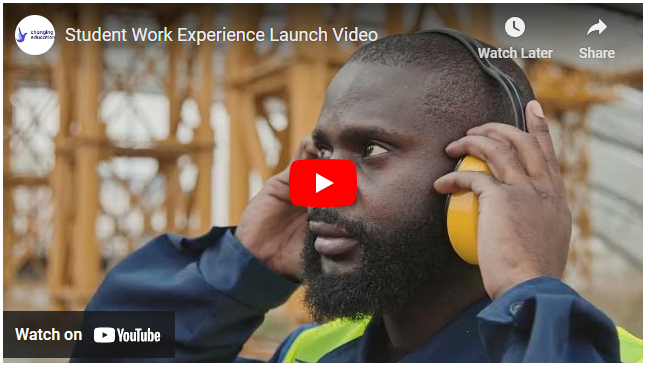
Student Work Experience Launch Guide
Learn more -
Post 07.10.2024

Ensuring Safety and Well-Being in Every Work Experience Placement
Learn more -
Post 19.12.2024

Safety Starts Here: Ensuring Secure Work Experience Placements
Learn more
Newsletter subscription
Thank you for subscribe!
Contact details
How can I create a placement on Connect?
First, you need to check if the employer already exists in Connect. Under employers, from the left-hand navigation panel, pick global list to reveal an employer database. From here, you can search for the employer you wish to add. If you find the business, you can create a placement by clicking into the business and selecting placed students. If you don’t see the company you are looking for, please create one. Our handy video guide here can also guide you through the process.
OTHER MEDIA
-
Post 15.12.2024

Smarter Health & Safety Management
Learn more -
Post 12.12.2024

Preparing Students for the Professional World
Learn more -
Post 11.02.2025

Why Does One-Size-Fits-All Career Advice Fail Students?
Learn more
Newsletter subscription
Thank you for subscribe!
Contact details
A student’s self-found placement has fallen through; what should we do?
This is a shame, but it does happen! You can purchase an additional sourced placement from Changing Education or encourage the student to search for an alternative placement themselves.
OTHER MEDIA
-
Post 28.10.2024

The Role of Work Experience in Developing Future Entrepreneurs
Learn more -
Post 15.12.2024
Smarter Health & Safety Management
Learn more -
Post 24.10.2024

Kicking Off a New Era
Learn more
Newsletter subscription
Thank you for subscribe!
Contact details
Can I create a placement on behalf of a student?
Please navigate to the student homepage, the pathways placement section, and click create placement. Please see our manual placement creation guide here.
OTHER MEDIA
-
Post 09.05.2024
Transforming Tomorrow’s Workforce: How to Empower Students and the Workforce Through Work Experience
Learn more -
Post 02.01.2025

Engaging Employers to Shape the Future Workforce
Learn more -
Post 15.10.2024
Simplifying Work Experience Management For Schools And Employers
Learn more
Newsletter subscription
Thank you for subscribe!
Contact details
Can I deny applications?
Yes, at the bottom of the verification form, you will need to explain why, and you must inform the student. You can view denied placements on the student homepage. If the application is denied, the opportunity will still show as available in your list and to students.
OTHER MEDIA
-
Post 05.02.2025

Is Your Careers Programme Truly Impactful? Let’s Make It Bulletproof
Learn more -
Post 30.08.2024
Integrating Work Experience into Curriculum: A Practical Guide
Learn more -
Post 17.01.2025

Is Your School’s Career Guidance Meeting Today’s Needs?
Learn more
Newsletter subscription
Thank you for subscribe!
Contact details
Can I verify a denied application?
Once rejected, the application is removed from the task list, and the student will need to resubmit another application.
OTHER MEDIA
-
Post 14.12.2023
Student Work Experience Launch Guide
Learn more -
Post 09.05.2024
Transforming Tomorrow’s Workforce: How to Empower Students and the Workforce Through Work Experience
Learn more -
Post 05.06.2025
Join The Changing Education Group’s Ambassador Programme – Rewarding Schools for Growing the Community
Learn more
Newsletter subscription
Thank you for subscribe!
Contact details
How can I see a list of placed and unplaced students?
Within Connect, navigate to students, and click global list. Here you can export lists of placed and unplaced students.
OTHER MEDIA
-
Post 30.09.2024

The Economic Impact of Work Experience Programmes on Local Communities
Learn more -
Post 11.02.2025
Why Does One-Size-Fits-All Career Advice Fail Students?
Learn more -
Post 08.11.2024

Navigating Career Challenges: How The Changing Education Group Can Help
Learn more
Newsletter subscription
Thank you for subscribe!
Contact details
How do I see which students have submitted a placement?
Within Connect. In the left-hand toolbar, there is a tab titled ‘Verify’. You have a responsibility to check your taskbar to complete any outstanding tasks. We recommend checking this daily to ensure that placements are being verified promptly.
OTHER MEDIA
-
Post 15.12.2024
Smarter Health & Safety Management
Learn more -
Post 17.12.2024

How To Stand Out With Industry-Specific Skills
Learn more -
Post 21.08.2024

The Benefits of Early Career Exposure for Students
Learn more
Newsletter subscription
Thank you for subscribe!